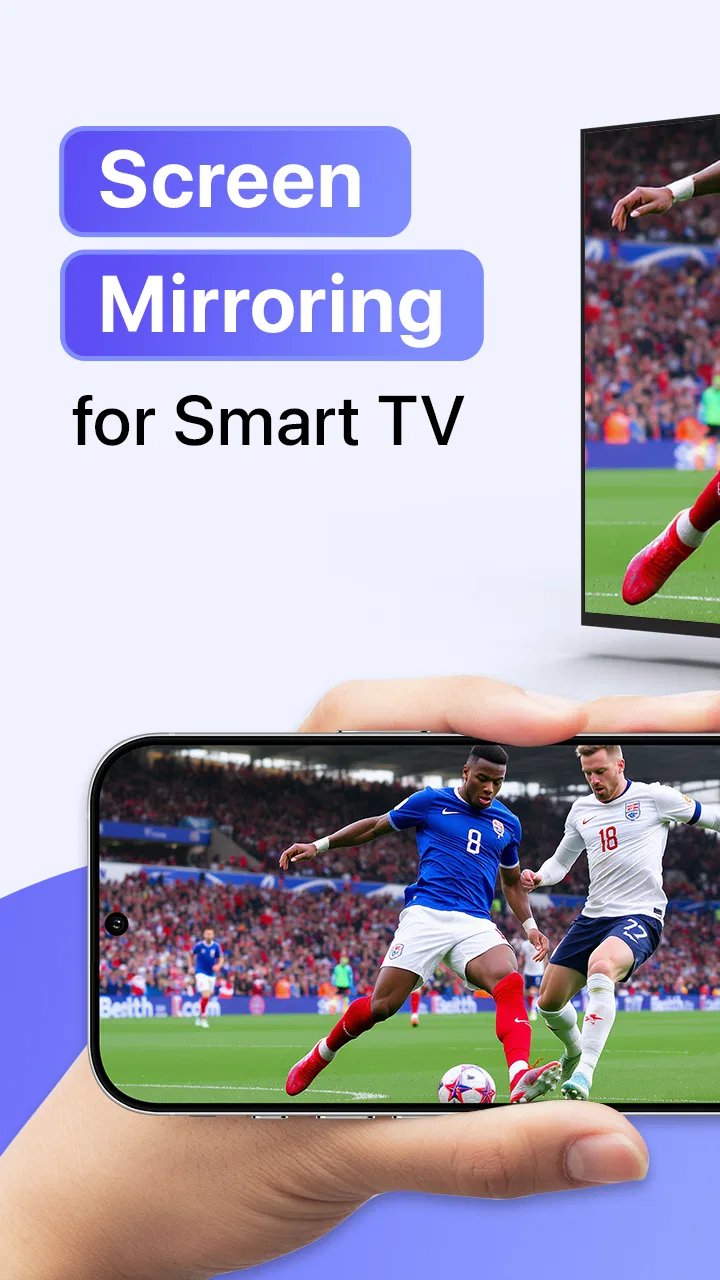
Cast to TV & Screen Mirroring
- 4.0
- Rating
- 10.00M
- Installs
- Free
- Price

 Analysis by App-foxy
I usually approach screen-mirroring apps with modest expectations. The first demonstration is easy to enjoy: a phone appears on a television, a photo becomes more comfortable to view, or a short video no longer feels cramped on a small display. The harder question is what happens after that first week, when the novelty disappears and the app has to earn a regular place on the phone. After spending time with Cast to TV & Screen Mirroring, I think it is most useful as a practical bridge between a phone and a compatible television, rather than as something I would keep open every day.
This is a free tools app from iKame Applications - Begamob Global, aimed at people who want a straightforward way to send phone content to a TV wirelessly. Its familiar use cases include showing videos, browsing photos with other people, and mirroring the phone display when a larger view is more convenient. The app has a 4.0 average from around 194 thousand ratings and has passed 10 million installs, so it is clearly not an obscure experiment. That popularity matters because it suggests the basic idea solves a common problem, even if it does not make every connection equally effortless.
From an impressive first try to a useful routine
My first-week impression was positive because the purpose is immediately understandable. You are not learning a complicated editing suite or trying to configure a media server. You are trying to get content from a phone onto a larger screen. That direct goal gives the app an advantage over solutions that bury casting inside several unrelated menus.
You May Also Like

 Blood Strike: 2.5 Anniversary
Blood Strike’s Loadouts Turn Every Drop Into a Tactical Gamble
A close look at Blood Strike’s custom loadouts: how fast access to signature weapons reshapes its battle royale rhythm, rewards preparation, and narrows the gap between fights.

 Pandora - Music & Podcasts
Pandora’s Music Is Easy to Start, but Harder to Recover
Pandora’s strength is its low-effort path from a seed to a station. Its weak spot is how much confidence it asks you to place in connection, setup, and quiet recovery.

 8 Ball Pool
 Is Built on Rivalries, Rematches, and Routine
A close look at the rivalries, rematches, shared routines, and unanswered safety questions that turn a quick pool match into a persistent mobile community.

 Samsung Music
’s Quiet Strength Is Playing What You Already Own
Its reach comes less from spectacle than from dependable access to a personal library. That simplicity is both the app’s strongest retention engine and its ceiling.

 AccuWeather: Weather Radar
AccuWeather Review: A Quick, Clear Forecast for Everyday Decisions
For everyday plans, the best forecast is the one you can understand quickly. AccuWeather makes rain timing, radar, and local conditions easy to act on, with a few trade-offs.

 Hill Climb Racing
Why Hill Climb Racing Still Turns Crashes Into One More Run
A tiny car, a bumpy hill and one more upgrade: Hill Climb Racing keeps resurfacing because its simple chaos makes every near-miss feel personal.
More From Our News Desk



The best first session is usually a simple one: both devices are ready, the television is compatible, and the phone is connected to the same home network. In that situation, the app can feel like a convenient remote doorway to a larger display. I found the idea particularly appealing for spontaneous moments rather than carefully planned presentations. A family member can ask to see a photo, someone can show a short clip after dinner, or I can put a phone-based video where several people can watch it together.
There is also a useful distinction between casting selected content and mirroring the whole phone screen. Casting is the cleaner choice when I only want to show a video or a group of photos. Screen mirroring is more flexible because it reflects what is happening on the phone, but that flexibility comes with visual clutter and the possibility of interruptions. Notifications, accidental taps, and changes between apps can all become visible. I would therefore treat mirroring as a problem-solving tool, not automatically as the best way to watch everything.
A realistic example is a weekend visit from relatives. Instead of passing a phone around, I can open a collection of travel photos and display them on the television. If a particular image needs explanation, the larger screen makes the conversation easier. Later, I might mirror a map or a web page for a short explanation. This is where the app feels more useful than its brief store wording suggests: it can turn a private phone activity into a shared, temporary viewing session.
The first-week appeal does depend heavily on the television and network involved. A compatible smart TV is essential to the experience, and a crowded or unstable wireless network can make the process feel less polished. That is not a problem I would blame entirely on the app, but it affects the final result. A reader expecting the consistency of a cable should adjust expectations. Wireless casting is convenient precisely because it removes the cable, yet it introduces another layer that can occasionally need attention.
One practical habit improved my results: I decide in advance whether I need a single item or the entire screen. If I only need a photo album or video, I avoid mirroring unless the content requires it. This reduces distractions and makes the session easier for other people to follow. It also prevents the common mistake of opening the app, selecting a broad mirroring mode, and then discovering that every phone action is now part of the presentation.
The app is also easy to understand for people who are not especially technical, provided the initial device relationship is clear. I would still help a less confident family member through the first connection, because the words “cast” and “mirror” can sound interchangeable even though they serve different purposes. Once that distinction is understood, the app’s role becomes much less mysterious.
Where the first-week experience can disappoint
The biggest early friction is not the concept but the expectation of instant discovery. Users often assume that any nearby television will appear automatically. In practice, the TV has to be suitable for the connection method, the devices generally need to be on the same network, and the television may need to be awake or ready to receive the session. When the target screen does not appear, the app can feel broken even when the real issue is the setup around it.
I recommend beginning with the simplest possible test: a photo rather than a long video or a full-screen mirror. A still image makes it easier to determine whether the devices can communicate. If that works, move to a short clip, then try mirroring only if you need it. This step-by-step approach is more reliable than changing several settings at once, and it gives a clearer idea of where a problem begins.
Another subtle limitation is that mirroring reproduces the phone experience rather than transforming it into a television interface. Text may remain sized for the phone, portrait content can leave unused space, and fast movement may look less comfortable than locally played television content. For a quick demonstration, those compromises are acceptable. For a long film session, the television’s own app or a dedicated streaming device may be the better choice.
What remains valuable after the novelty fades
After the first month, I would not describe this as an app I use on a fixed daily schedule. Its value is more situational. It earns space when I regularly share phone content, use a television that lacks a convenient route for certain files, or need a flexible way to show something that is not already available through a TV app. That kind of recurring value can be enough, but it depends on your household rather than on a constant stream of new functions.
For me, the strongest long-term use is the “show this to everyone” moment. Photos, short recordings, documents, maps, and other phone content are often easier to discuss on a large screen. The app is especially handy when the content is personal or temporary and I do not want to transfer it permanently to another device. It acts as a viewing shortcut, not a replacement for the phone’s storage or the television’s complete entertainment system.
It can also help in homes where different people use different phones. Instead of asking everyone to install the same television-specific service or moving files between devices, one person can use the phone as the source. That does not eliminate compatibility questions, but it can reduce the number of steps for occasional sharing. I see this as a modest advantage that becomes more noticeable in a mixed-device household.
There is a trade-off, though. If your television already handles your favorite video services, photo libraries, and casting methods smoothly, this app may add little. The built-in tools can be faster because they are already integrated into the TV or the media service. In that situation, keeping another app for rare emergencies is reasonable, but I would not call it essential.
The same applies to people who mostly watch protected or subscription-based content. A phone screen can often display something that a television does not handle in the same way, but mirroring is not a universal answer to content restrictions or playback behavior. I would not choose this app on the assumption that it can bypass every limitation imposed by a video service. Its strength is general device-to-screen sharing, not guaranteed access to every kind of protected playback.
Three habits that make it more useful
First, I keep the phone’s display behavior in mind before starting a session. If the phone locks, changes orientation, or receives an interruption, the mirrored result can become less pleasant. For a short demonstration, this is easy to manage. For a longer session, I prepare the phone first, close unrelated apps, and avoid unnecessary handling once the picture is on the television.
Second, I use casting and mirroring for different jobs instead of treating them as competing buttons. A photo review benefits from a selected gallery or individual images. A quick explanation of a website or app may require the whole screen. Choosing the narrower method whenever possible reduces accidental exposure of private notifications and keeps the television view cleaner. The most dependable workflow is to mirror only when casting cannot express what I need to show.
Third, I treat the wireless network as part of the setup. If a connection behaves poorly, I check whether the phone and TV are actually using the same home network before repeatedly restarting the app. I also avoid judging the app from a single crowded-room test. A calm test with a simple photo gives a more useful baseline than immediately attempting a high-motion video while several devices are competing for bandwidth.
These habits are not glamorous features, but they make a real difference. They also reveal the app’s proper place: it is a practical utility that rewards a little preparation. Someone wanting a completely invisible, appliance-like experience may find that preparation annoying. Someone who only needs occasional flexibility may consider it a fair exchange for avoiding cables or file transfers.
Maintenance, recurring friction, and the reasons to move on
Maintenance is relatively light in the sense that the app does not require a complicated personal library or a long setup process every time. The recurring work is mostly environmental: making sure the television is available, the network is suitable, and the phone is ready for the type of session I want. That is manageable for occasional use, but it becomes tiring when I need to repeat it several times a day.
The main source of fatigue is inconsistency. Wireless connections can feel effortless one evening and require troubleshooting another time. Even when the app itself has not changed, the television state, router behavior, phone settings, or network conditions may differ. A user who values absolute predictability will probably prefer a cable, a built-in TV feature, or a dedicated streaming accessory.
Another source of fatigue is the gap between a successful connection and a good viewing experience. Getting the phone image onto the television is only the first step. The content still has to look appropriate at a larger size, the orientation has to make sense, and the phone must remain usable as a controller or source. A portrait photo collection may be perfectly readable, while a small mobile interface can feel awkward when enlarged. The app cannot remove those differences in how content was originally designed.
I also would not install it solely because the store summary sounds universally convenient. The application is free, which makes trying it low-risk, but it includes in-app purchases ranging from $0.49 to $33.99 per item. That does not automatically make the free experience poor, yet it is worth approaching the app as a free utility with optional paid elements rather than assuming every part of the experience is unlimited at no cost. I prefer to test the exact workflow I need before deciding whether any purchase is worthwhile.
The age rating is Everyone, which fits the basic purpose of sharing ordinary phone content on a larger display. Still, the rating does not replace common sense about what appears during mirroring. Because the television can reflect the phone screen, I make a point of closing private conversations and checking notifications before connecting. This is one of those practical details that matters more in a living room than in an app description.
The developer, iKame Applications - Begamob Global, has kept the app in active circulation long enough for it to reach current version 14.6.1. I see that as reassuring for someone who wants a maintained utility rather than an abandoned download. At the same time, version numbers alone do not guarantee that every television model or phone behaves identically. I would still judge compatibility from the specific devices in the home, not from the version label.
Who should use it, and who should skip it
I would recommend it to someone who frequently wants to show phone photos, short videos, maps, or app screens to a group and has a compatible smart TV nearby. It is also a sensible trial for people who dislike moving files between devices and want a wireless option before buying extra hardware. The free entry point makes experimentation easy, especially when the need is occasional rather than professional.
I would be more cautious for someone looking for a primary home-theater solution. If your priority is watching long videos with stable quality, quick resume behavior, subtitles, surround sound, or a polished remote-friendly interface, the television’s native apps or a dedicated streaming device are usually better suited. The same is true for formal presentations where a cable or established presentation system offers more confidence.
People who rarely share anything from their phones may also find that the app becomes clutter rather than convenience. If the TV already receives everything you watch and your photos stay private on the phone, there may be no recurring reason to open it. The app’s value is not measured by how many times it is launched; it is measured by whether it removes a recurring obstacle in your particular routine.
My long-term verdict
After the first-week excitement settles, Cast to TV & Screen Mirroring survives as a useful occasional tool rather than a must-have companion. I like its clear purpose, its ability to handle both selected content and broader screen sharing, and the way it can turn a personal phone into a temporary shared display. Those strengths are real, especially in homes where the television’s built-in options do not cover every situation.
Its weaknesses are equally clear. Wireless discovery and playback depend on the surrounding devices and network, full mirroring can expose distractions or private information, and the enlarged phone interface is not always comfortable for extended viewing. The app also cannot make a basic casting session as dependable as a wired connection in every environment. If those compromises conflict with your priorities, another option will serve you better.
For my own phone, I would keep it installed when I regularly visit a television that benefits from flexible phone sharing. I would not recommend leaving it as the default route for every video or treating it as a replacement for the TV’s native ecosystem. Its lasting value comes from specific moments: sharing a photo collection, explaining something on a larger screen, or displaying content that has no convenient television counterpart.
In short, this is a free tools app that earns its place through usefulness rather than habit. Try it with a simple photo first, learn whether your phone and television cooperate, and then decide whether the occasional convenience justifies keeping it. For the right household, that answer will be yes. For anyone demanding flawless, cable-like reliability or a complete entertainment platform, I would look elsewhere.
FAQs for Cast to TV & Screen Mirroring
01What devices are compatible with Cast to TV & Screen Mirroring?
Cast to TV & Screen Mirroring is compatible with a wide range of devices, including most smart TVs, Chromecast, Roku, Fire TV, and DLNA devices. However, compatibility may vary depending on the specific model and manufacturer, so it’s recommended to check the app’s compatibility list or your device’s specifications before downloading.
02Does Cast to TV & Screen Mirroring support all video formats?
While Cast to TV & Screen Mirroring supports a variety of popular video formats such as MP4, MKV, and AVI, it may not support every format available. For optimal performance, it’s best to use commonly supported formats and check the app’s documentation for any specific format limitations or requirements.
03Is an internet connection required to use Cast to TV & Screen Mirroring?
Yes, an active internet connection is generally required to use Cast to TV & Screen Mirroring, as it relies on network connectivity to stream content from your device to the TV. A stable Wi-Fi connection is recommended to ensure smooth and uninterrupted casting.
04Are there any in-app purchases or subscriptions required?
Cast to TV & Screen Mirroring may offer both free and premium versions. The free version typically includes basic features, while the premium version, available through in-app purchases or subscriptions, may provide additional functionalities such as ad-free experience, enhanced casting features, or support for more devices.
05How can I troubleshoot connection issues with Cast to TV & Screen Mirroring?
If you encounter connection issues, ensure that both your device and the TV are on the same Wi-Fi network. Restarting the app, your device, and the TV can often resolve connectivity problems. Additionally, ensure that your app and device firmware are up to date. Consult the app's help or support section for further troubleshooting steps.
Pros
- Easy setup with intuitive interface.
- Supports multiple media formats.
- Compatible with most smart TVs.
- Reliable connection with minimal lag.
- No ads in the premium version.
Cons
- Occasional connection drop issues.
- Free version has limited features.
- Requires stable Wi-Fi network.
- Not compatible with older devices.
- Some features locked behind paywall.

Cast to TV & Screen Mirroring
Gallery